

Using Get ( WindowUUID ) and JSON for true window variables in FileMaker 26
FileMaker 26 introduces Window UUIDs, enabling developers to create and manage window-specific variables using JSON. This innovation simplifies state management across multiple windows without the need for global variables or complex table structures. It reduces technical debt, enhances workflow flexibility, and allows for isolated, lightweight data storage specific to each window.
Many use cases that this enables will be up to your imagination. I am hoping this example will spark all kinds of ideas for you to consider.
What Get ( WindowUUID ) Enables
In many FileMaker solutions, we have the ability to bring up a detail window and show related data to the core entity. Sometimes we might want to collect or store certain facts – not in some global that is accessible to the whole file, but rather store them temporarily just like local variables. These are scoped within a script, and when the script ends those variables also disappear. But in this case we need to keep them around while that window is open. With Get (WindowUUID) we have what I consider the ability to create, update/access and delete window variables.
Previously, we had been managing window variables by attaching a unique 4 character hash to the window to track it. For the most part that worked out OK, with some effort. But having a dependable way to reference a window by the Window UUID makes what we build both simpler and more robust.
Why This Matters
This matters if you have multiple windows and you need a way to store facts (i.e. state) for what is going on within that window, or use that data in combination with other values and present some calculations to the user. You don’t have to jump through hoops to render some information such that you would just encumber the schema. It’s transitory to the window, just like a variable is transitory to a script when the script is being executed.
This also matters from the point of view of technical debt. This might be technical debt that serves a clear purpose, rather than additional calculations in a table that really only matter when you are looking at details in a window, not to mention all the additional overhead that might come with those calculations to infer context like relationships and table occurrences etc. Store the facts in a place where you can carry them with you so long as you keep that window open.
From my point of view, this gives us a place to store facts with the window and not require additional schema to achieve the same goals. It simplifies and reduces complexity and, as a byproduct, manages technical debt.
The Problem With Global State
The problem with FileMaker global fields is that they might be looked at as single-purpose. But let’s say you decide to store a JSON object in a global. You can do that. The problem becomes how you organize the information on a window per window basis, and that is where having the ability to get and store the Window UUID as a key to your JSON opens up the doors to so many possibilities.
Managing Record Selection in Multiple Windows
FileMaker developers have always had ways to manage selected records: They would typically either use a found set or mark the records and search for marked records to come back to them later. And we cover this in depth with this blog post: Records, Go Get ‘Em in Claris FileMaker 2025.
But FileMaker 26 introduced something new that changes the game for multi-window workflows:
Get ( WindowUUID )
With Window UUIDs, we can now create true window-specific state management. When combined with creating different JSON keys based on the Window UUID then you have a powerful and singular place to manage isolated window attributes across windows.
Demo Example: Used Car Sales for Worm Wood Motors (inspired by the movie Matilda)
FileMaker Window UUID Demo [Details at end of this post]
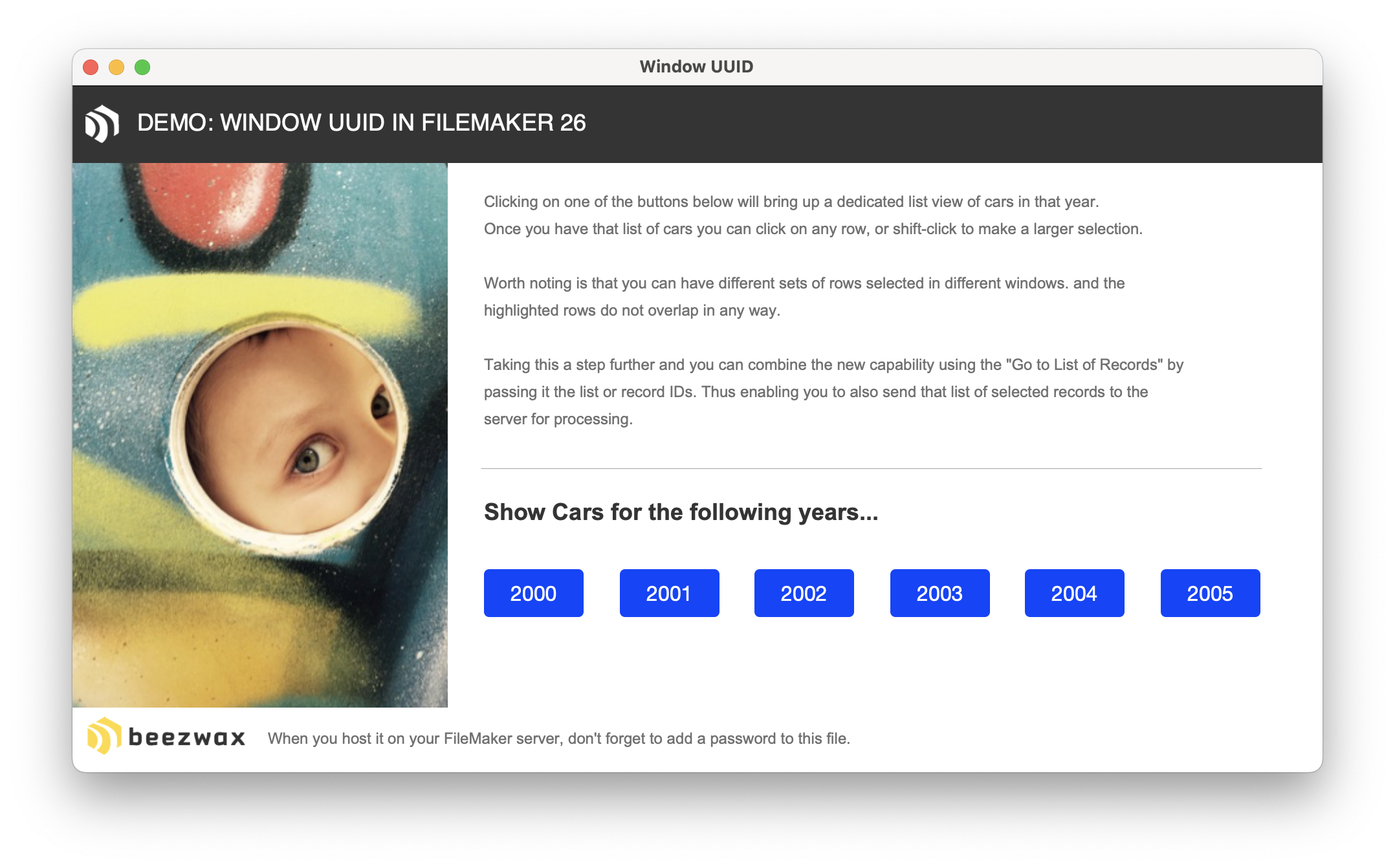
Let’s say you are a used car salesperson. And you are selling cars in bulk, based on a certain year. You need a list of cars you have for that year, and want to be able to select multiple cars from that list.
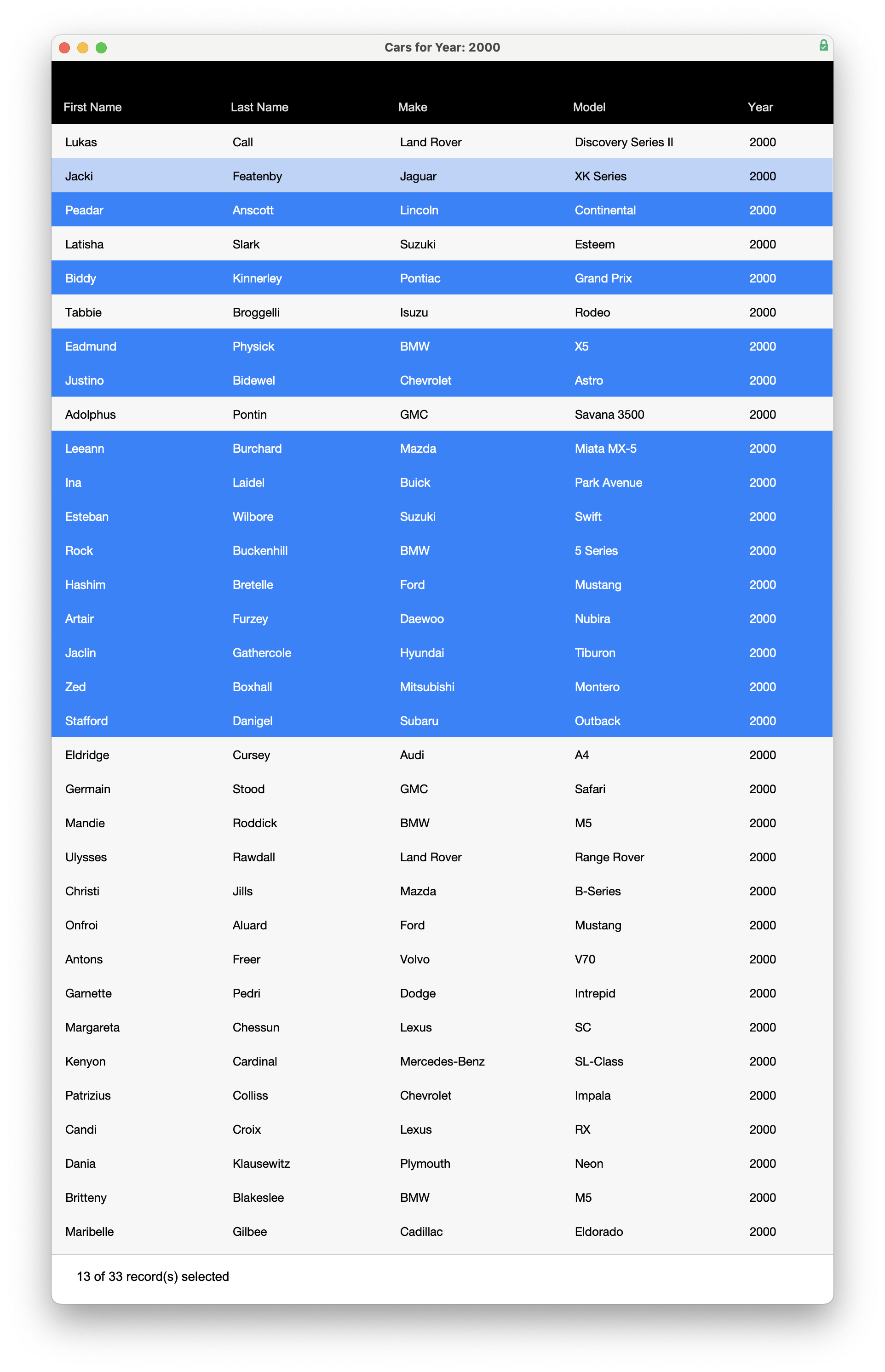
Here is what that window or list of cars might look like (with some cars already selected).
Without Window UUID one would need to store the attributes (maybe still as JSON) in a single global variable. But this limits you to be able to process cars data for only one window/year at a time.
Building Window-Specific JSON State
The Window UUID becomes the top-level JSON key. Each window stores its own independent state beneath that key.
The Structure is as follows:
• Root object • key: "CD986F490F1F48D6B576BFA23A9C89AA" • value: nested object • key: “SELECTED_IDS” // value: array of integers
And here is an example of that JSON
{ "CD986F490F1F48D6B576BFA23A9C89AA" : { "SELECTED_IDS" : [ 1101, 1116, 1213, 1221, 1263, 1326, 1413, 1542 ] }}
To see this in action bring up a window for cars in the YEAR: 2000 and another window in the YEAR:2001
Then start clicking or command-clicking/shift-clicking on different rows in each window. If you look at the global field. You’ll see two Widow UUIDs as root elements with the selected RecIDs as selected IDs:
{ "5444E9A27E8C48A3B6600323F85B43B1" : { "SELECTED_IDS" : [ 1101, 1116, 1213, 1263, 1314, 1349, 1352, 1437 ]}, "E88FCE36A4EE457086BA592C007C1B21" : { "SELECTED_IDS" : [ 1043, 1045, 1119, 1127, 1210, 1239 ] }}
Introducing Window Variables:
- Globals are application-wide.
- WindowUUID enables window-scoped state.
- JSON provides structured storage.
What Window UUID makes possible in FileMaker is what I’d refer to as “window variables”. And just like global variables you’ll want to manage them… and clear them when they are no longer needed.
Note for this example we use a global field. But you can just as easily set a global variable like $$_WINDOW_DATA. My preference is global fields so they don’t clutter up the data viewer.
Note: There is nothing preventing you from storing multiple attributes per window. You can attach as many as you need. As a matter of fact, you could have a complex JSON object with many nested sub-objects etc. So long as it is all valid JSON, nothing preventing you from doing that.
Back to the example… Let’s say you needed to always have handy the YEAR of the cars and the total number of cars available –you can get that from the found set. But good to also add it into your JSON object and the reason is because you might be on a different layout than the list of cars and this is when these window properties come in really handy. No need for a relationship to the data – whatever you need is available right in the window attributes.
{ "5444E9A27E8C48A3B6600323F85B43B1" : { "DAMAGED_CARS" : 11, “AVAILABLE_CARS" : 33, "ENGINE_CHECKED" : 21, "SELECTED_IDS" : [ 1101, 1116, 1213, 1221, 1263, 1326, 1413, 1435, 1542 ] , "YEAR" : 2000 }}
So long as you are always within the same window (it doesn’t matter what layout you are on), you always have access to these items. Maybe there is some complex formula you defined and you need all those values. They are just a simple calculation away. As a matter of fact, you could also create a simple custom function that takes one parameter (the attribute name) and will return the value for that attribute.
Define a layout calculation. If you wanted to know how many cars you have selected within that window then you could use:
ValueCount ( JSONListValues ( DEMO::JSON_SELECTION_LIST ; Get ( WindowUUID ) & ".SELECTED_IDS" ) )
So if you had 13 records selected and the found set of records was 33, this layout calculation would show the following string: 13 of 33 record(s) selected.
ValueCount ( JSONListValues ( DEMO::JSON_SELECTION_LIST ; Get ( WindowUUID ) & ".SELECTED_IDS" ) ) & " of " & Get( FoundCount ) & " record(s) selected”
This whole paradigm for handling selected records was something we didn’t had before… but now can with this technique. If you don’t show the Status Bar then the user might not have any clue as to what record they are sitting on. And if your workflow requires that they much have at least one record selected, then this technique is ideal for that. If no records are selected, then the button to proceed to the next action is dimmed.
In the context of a single workflow I think it would be fine to define a dedicated global for each of these attributes. But with Window UUID you can easily mix JSON into this and now you can manage all of this across multiple windows and unlimited attributes.
Final Thoughts
Get ( WindowUUID ) introduces something FileMaker developers have never really had before: reliable window-scoped state.
Combined with JSON, this opens the door to more sophisticated multi-window workflows without requiring temporary records, additional tables, nor large collections of global fields, nor multiple relationships and additional table occurrences.
In many ways, Window UUIDs give us something close to true “window variables” — lightweight, flexible, and isolated to the window. Even if the user is not on a layout with the same underlying table occurrence context, those window variables are still present.
Demo: FileMaker Window UUID
- GitHub download link
- software is named “Window UUID.fmp12”
- download folder includes
Window UUID.fmp12,LICENSE, images andREADME.md - ~2.2 MB download
Username: admin
Password: [none...add to file if hosting on FileMaker Server]